
• ServerFee
    • هیچ پیامی وجود ندارد

  • حساب
    • ورود
    • عضویت
    • رمز را فراموش کرده اید؟
  • حساب / خوش آمدید
    • ورود
    • عضویت
    • رمز را فراموش کرده اید؟
      • سرویس ها
        • سرویس های من
        • سفارش سرویس جدید
        • مشاهده افزونه های موجود
      • دامنه ها
        • مدیریت دامین
        • ثبت دامنه جدید
        • انتقال دامنه
      • پشتیبانی
        • تیکت ها
        • مرکز دانلود
        • وضعیت سرور
      • اخبار
      • مرکز آموزش
      تماس با ما ارسال تیکت

      دسته‌بندی‌ها

    Backup/Restore
    4
    Cloudflare (cPanel)
    9
    CloudLinux (cPanel)
    10
    cPanel - Control Panel
    24
    Databases
    11
    DirectAdmin
    48
    DNS - Nameservers
    6
    Domain Management
    10
    Email
    17
    FTP
    9
    Installing a Control Panel
    6
    Mail Filters & SPAM
    8
    Mobile
    11
    Others
    3
    PayPal
    7
    Plesk
    47
    Security
    10
    SiteWorx (Control Panel)
    58
    Softaculous
    69
    SolusVM
    18
    SSL
    5
    Virtualizor
    19
    WHM
    18
    WordPress
    17
    دامنه های ایرانی .ir
    1

      دسته‌بندی‌ها

      پشتیبانی

    درخواستهای پشتیبانی من
    اطلاعیه ها
    مرکز آموزش
    دانلودها
    وضعیت شبکه
    ارسال تیکت

    How to Check Automatic PayPal Subscriptions چاپ


    You can view the list of automatic PayPal subscriptions you have.


    1. Log in to your PayPal account.


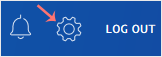
    2. Click on the settings icon.
    paypal-settings-icon.gif


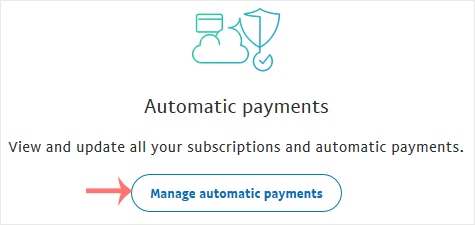
    3. Go to the Payments menu and click on Manage automatic payments.
    paypal-automatic-payments-button.gif


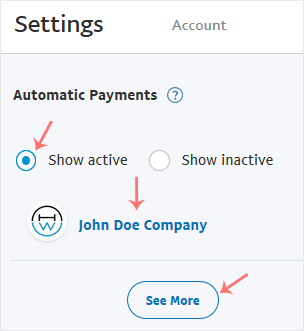
    4. Tick-mark Show Active. If there is an active subscription, it will be displayed. In the case of many subscriptions, click on See More.

    paypal-subscription-list.gif


    آیا این پاسخ به شما کمک کرد؟

    • 0

    مقالات مربوطه

    How to Cancel an Automatic PayPal Subscription   You can cancel pre-approved, automatic payments, or a subscription in your PayPal account.... How to Link a Debit or Credit Card to Your PayPal Account   Follow this tutorial to link your Debit or Credit Card to your PayPal Account.   1. Log in... How to Remove a Debit or Credit Card From PayPal   Follow this tutorial to remove your Debit or Credit Card from your PayPal account.   1. Log... How to Set a Preferred Payment Method in PayPal   With multiple Debit or Credit cards, you can set your proffered payment method in PayPal.... How to Subscribe to an Invoice via PayPal   You can subscribe to an invoice for recurring payments. The subscription option is only...
    << بازگشت

      پشتیبانی

    درخواستهای پشتیبانی من
    اطلاعیه ها
    مرکز آموزش
    دانلودها
    وضعیت شبکه
    ارسال تیکت

    در هر قدم کنار شما هستیم

    ما میزبان آفرینش های نو شما در تجارت های آنلاین هستیم

    021 - 79825

    هفت روز هفته و ۲۴ ساعته


    در حال بارگزاری ...
    در حال بارگزاری ...

    واحد پول

    IRR
    € EURO

    ایجاد رمز عبور

    لطفا یک رمز عبور با طول بین 8 تا 64 حرف وارد کنید